
Go straight to your next pin.
Find a place on the map, search by name, or enter coordinates. Teleport to the exact point you choose.
Teleport to a pin, follow a route, and make room for wherever comes next.
One map. The freedom to choose how you move.
Find a place on the map, search by name, or enter coordinates. Teleport to the exact point you choose.
Follow roads in driving mode, choose your travel speed, and build a trip with up to 12 points, including your start.
Save a place once. Find it again whenever you want to return, without searching for the same pin.
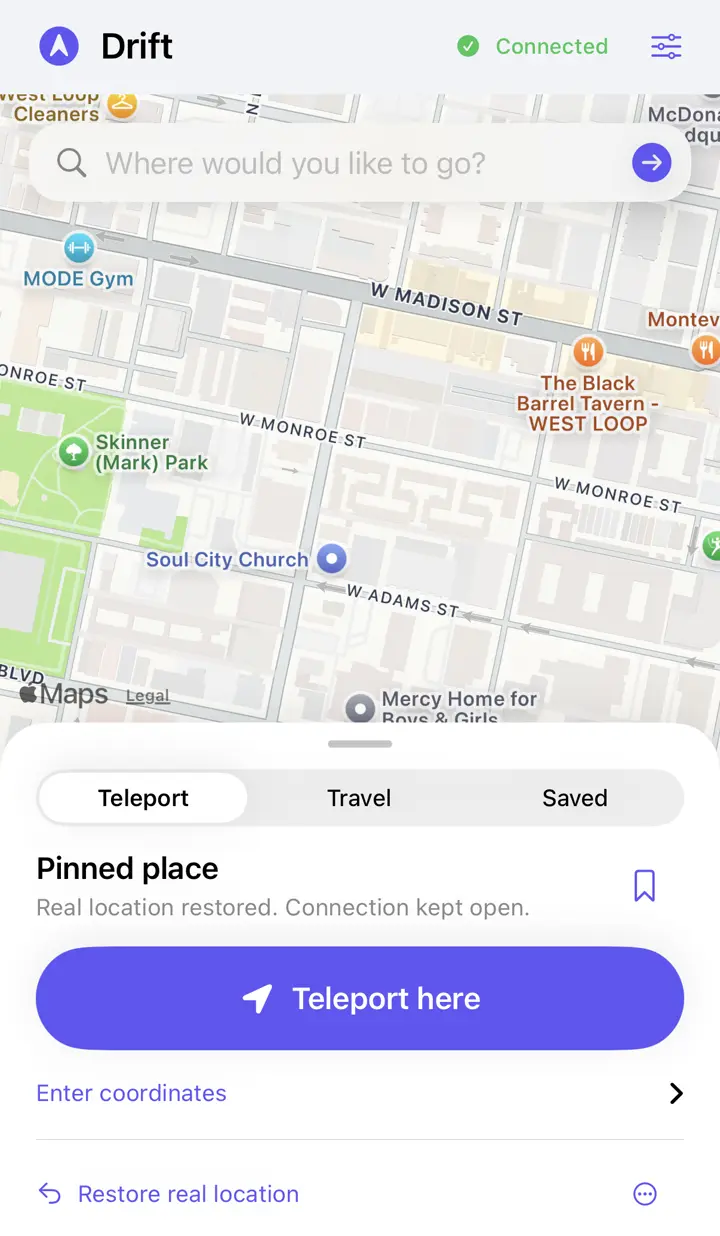
A familiar map, clear controls, and more space to explore. Take a look inside the app.
Search, choose a pin, save a place, or restore your real location from the map.
These are actual iPhone captures from an earlier build. The current app uses the Roamora name, logo, and color palette.
A quick hop or a longer itinerary. You set the pace.
Arrange stops in Advanced, including your start and final destination.
Choose a travel preset, adjust your speed, or set speeds for individual driving sections.
Set each stop's wait in seconds, minutes, or hours. The itinerary continues automatically.
Roamora runs on your iPhone. A computer helps prepare the pairing file for your first setup.
Roamora is installed as an IPA through SideStore. Keep it refreshed so your signed app remains available.
Enable Developer Mode, import your own pairing file, and connect LocalDevVPN. Use Wi-Fi to establish the developer connection.
Check the connection in the app, then choose Teleport or Travel. Restore real location when you're finished.
No. Roamora is an IPA installed through SideStore. Public purchase and download access are not available on this page yet.
A computer is needed to prepare your iPhone's pairing file. After setup, the app uses that saved file and LocalDevVPN on the phone. Apple or iOS changes may require additional setup later.
An established connection has worked over cellular in device testing. Use Wi-Fi to establish the session first. Starting a fresh session entirely over cellular is not confirmed.
Roamora includes background connection maintenance when location access is allowed. iOS still controls background activity. Force-quitting, restarting, or system suspension can interrupt a session.
The app keeps it locally on your iPhone. It is not uploaded to this website. Deleting the app may remove it, so keep your original file somewhere safe.
Yes. Use Restore real location in the app. Restoring keeps a healthy developer connection open so you can start another session. Use Disconnect when you're finished.
Get to know Roamora before your first move.